Subaru Select Monitor
Subaru Select MonitorOPERATION
1. Prepare the Subaru Select Monitor kit.
2. Connect the diagnosis cable to the Subaru Select Monitor.
3. Connect the Subaru Select Monitor to the data link connector.
1. Data link connector is located in the lower portion of the instrument panel (on the driver's side).
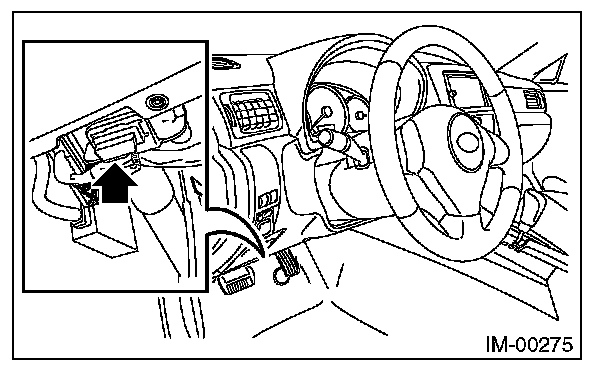
2. Connect the diagnosis cable to the data link connector.
CAUTION: Do not connect scan tools other than the Subaru Select Monitor.
4. Turn the ignition switch to ON (engine OFF) and run the Subaru Select Monitor.
5. Using the Subaru Select Monitor, call up DTCs and various data, then record them.