Multifunction Switch
Removal Procedure1. Remove the steering column trim covers. Refer to Steering Column Trim Covers Replacement-On Vehicle.
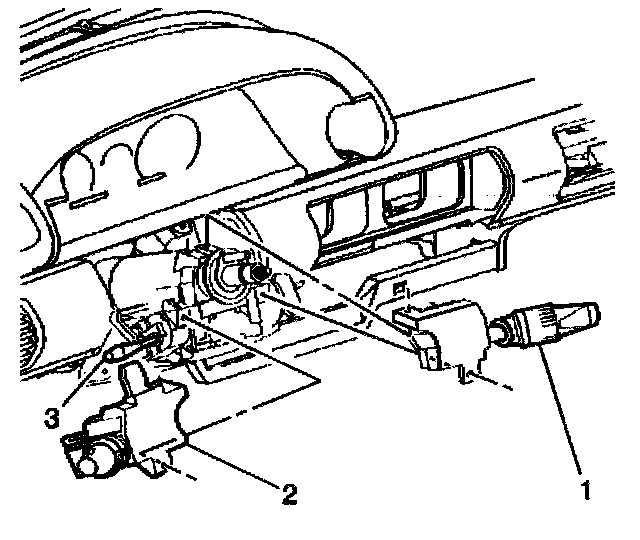
2. Remove the 2 retaining screws from the multifunction switch (2).
3. Remove the multifunction switch (2) from the steering column.
4. Disconnect the electrical connectors from the multifunction switch (2).
Installation Procedure
1. Connect the electrical connectors to the multifunction switch (2).
2. Install the multifunction switch (2) to the steering column while depressing the spring loaded horn pin.
Notice Refer to Fastener Notice in Service Precautions.
3. Install the 2 retaining screws to the multifunction switch (2).
- Tighten the screws to 4 Nm (36 inch lbs.).
4. Install the steering column trim covers. Refer to Steering Column Trim Covers Replacement-On Vehicle.
5. Ensure that the multifunction switch functions properly.