PDC Housing Lower Cover Removal
- Disconnect and isolate the battery negative cable.
- Unlatch and remove the cover from the PDC.
- Unlatch and remove the B(+) terminal stud cover from the PDC.
- Remove the two nuts that secure the eyelet terminal to the two B(+) terminal studs of the PDC.
- Remove the eyelet terminal from the PDC B(+) terminal studs.
- Disengage the latches on the PDC mounts from the tabs on the PDC bracket stanchions, and pull the PDC housing upward to disengage the mounts from the stanchions of the bracket.
- Using a trim stick or another suitable wide flat-bladed tool, gently pry the latches on each side and one end of the PDC housing that secure the housing lower cover to the PDC and remove the housing lower cover (Fig 1).
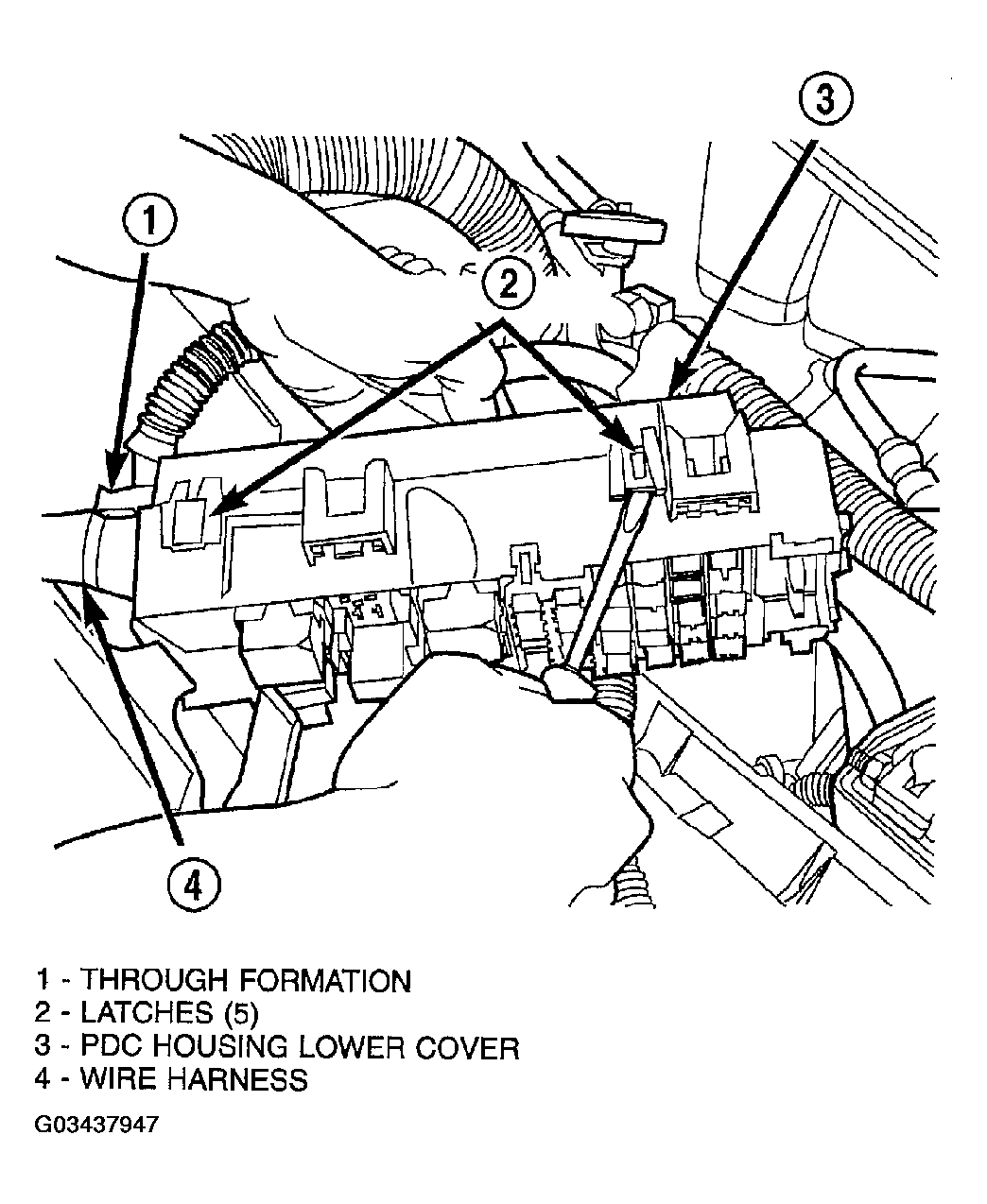 Courtesy of DAIMLERCHRYSLER CORP.